HINTS and TIPS Corner
================================================
Getting the speed right
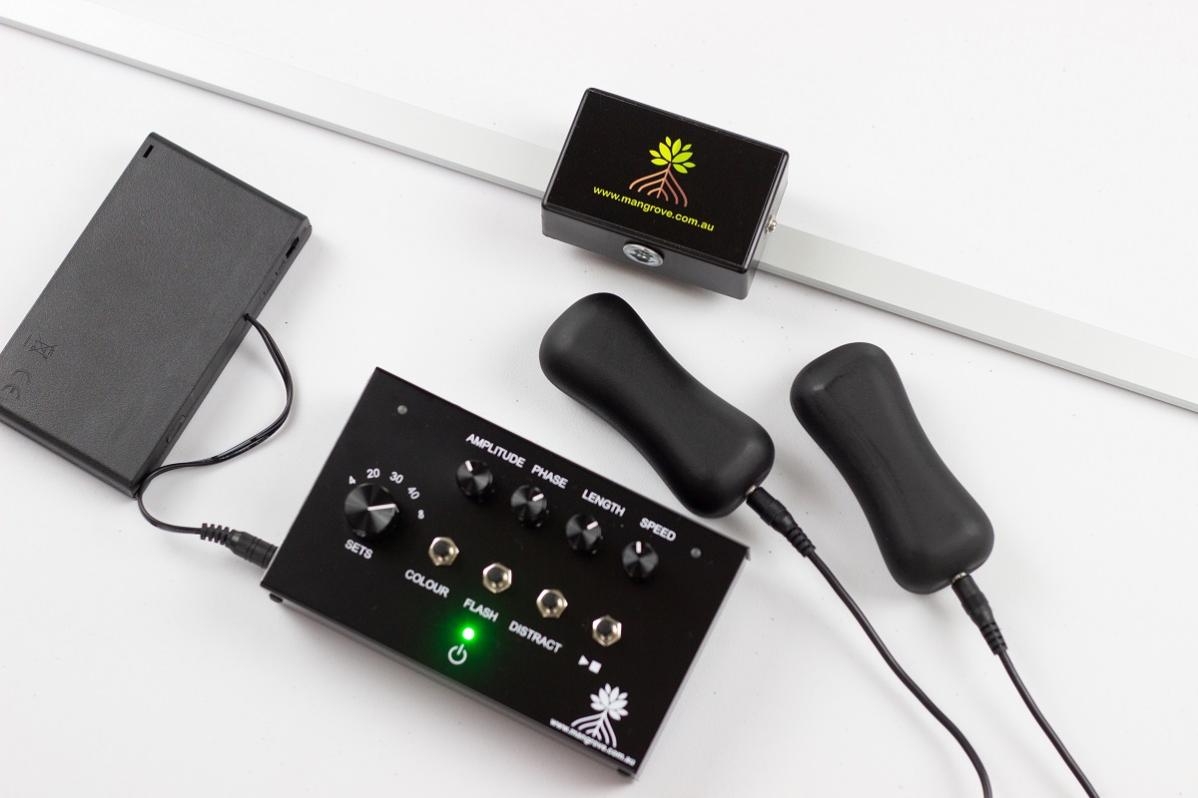
When initially setting up a session always work from left to right with the adjustment knobs.
First Amplitude, then Phase, then Length and finally Speed.
Remember that Amplitude, Phase and Length ALL HAVE AN EFFECT on Speed! By adjusting from left to right you will always be able to set the speed correctly as desired.
================================================
Selecting a colour
To browse through and select from the range of colours available on your system, do the following.
Start a group of sets so the dot is visible on the lightbar. Then hold the colour button down. At this time a dot will appear in the centre of the lightbar and the system will cycle through the available colours. RED, GREEN, BLUE, PINK, LIGHT GREEN, LIGHT BLUE, MAGENTA, CYAN, YELLOW, WHITE.
When you see the colour you'd like to use, simply let go of the colour button. The system will use this colour for all sessions until you turn off the power or select another colour. The default system colour is GREEN.
================================================
MAINTENANCE TIP
It is a fact of life that tappers are constantly trying to dismantle themselves with their vibration. We highly recommend that you periodically check the small nut on that secures the cable connector is fully tightened. These do sometimes work themselves loose over time.
================================================